AuraLink Studio / AuraLink Router
 Live · v0.9.0 · Windows
One audio device.
Shared by the whole machine.
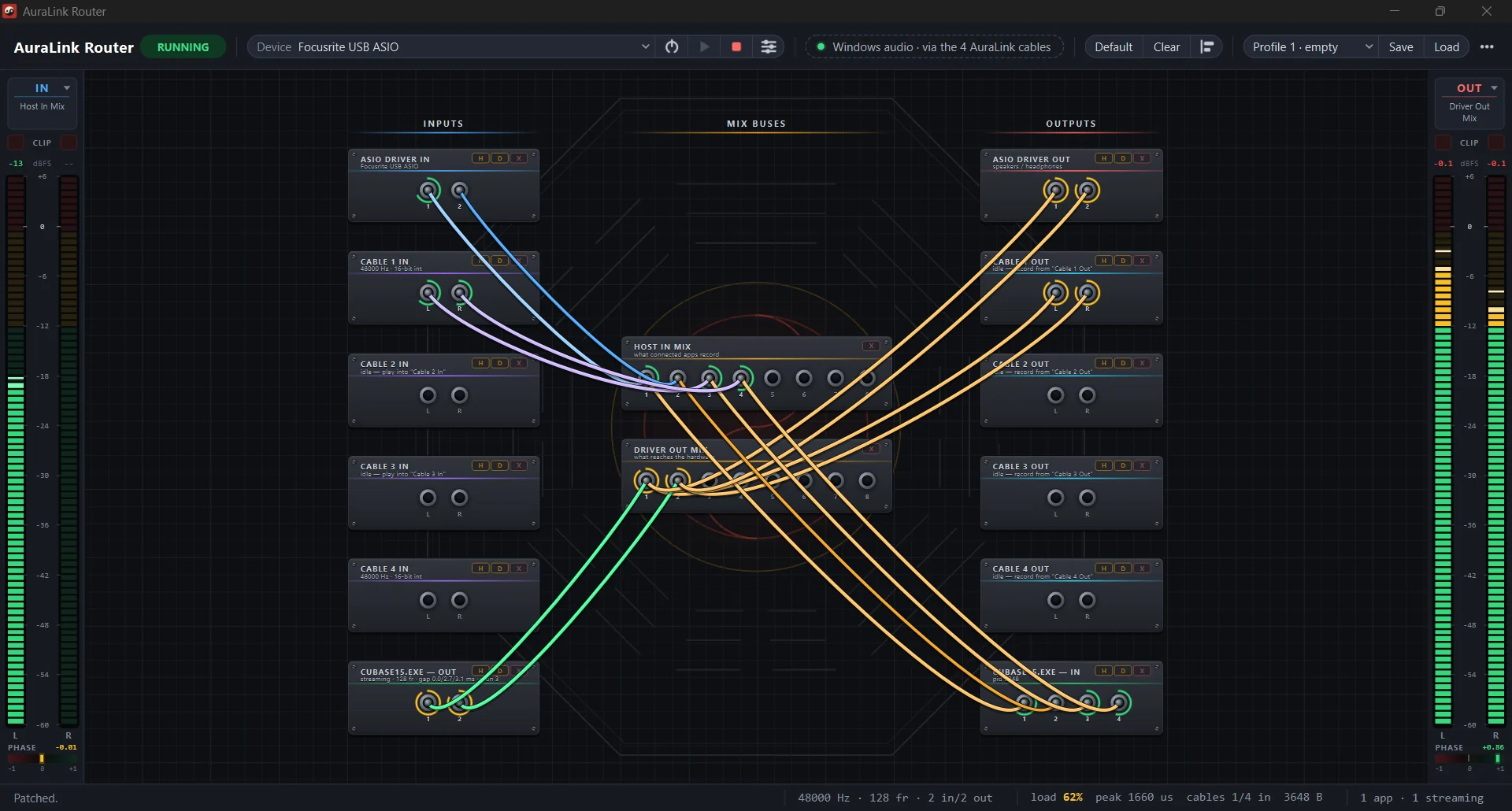
Normally, opening your DAW silences everything else. AuraLink Router fixes exactly that: DAW, Windows sound, browser and OBS all run on one device — then you drag the cables that decide where each sound goes. It replaces ASIO Link Pro, which stopped being developed.
PriceFREE
Core features
What it can do today.
Every line below has been measured, not promised.
- Many apps, one deviceThree apps sharing one device at once, each at its own latency setting, with no dropouts.
- 4 virtual cablesMove sound between apps in both directions, each route kept cleanly separate.
- DAW + Windows → OBSYour music and your system sound reach OBS together, for streaming or recording.
- Wire it by dragging cablesLevel and mute per port, with 8 saved setups so you can switch between sessions fast.
- If you know ASIO Link Pro, you know thisSound flows the same way ALP did — nothing to relearn.
- Runs with Cubase / NuendoConfirmed by ear at 256 samples of latency.
Context
Why AuraLink exists.
ASIO Link Pro is the best tool of its kind on Windows and has no replacement — its author John Shield passed away and the software stopped. It still wins on function, losing only on a dated interface no one can maintain. AuraLink takes exactly that bet: match its function to the last detail, and give it an interface people can read.
Download AuraLink Router →